
NOVEMBER 2023 – JANUARY 2024
Loan Batch Delivery tool
As a standard process for mortgage lenders, they sell and buy loans of other lenders. This project came through UX intake, requested by the document manager team who were supporting a servicing team of about 30 specialists submitting batches daily.
ROLE
Solo Designer
TIMELINE
3 months
TYPE
Professional
COLLABORATORS
Software Developers and Business Analyst
*All visuals, names, and details have been modified to keep confidentiality.
i. The Problem
Specialists submitted batches through an aging UI, then waited on vague pass/fail emails with no way to see what loans were sent or what loans failed. The only next step was forwarding the error to the document manager team, with no defined turnaround.
Our goal: By giving specialists visibility into exactly which loans/documents failed and providing a why, we hoped to reduce how often specialists needed to escalate to the IT document team.
ii. Research and Discovery
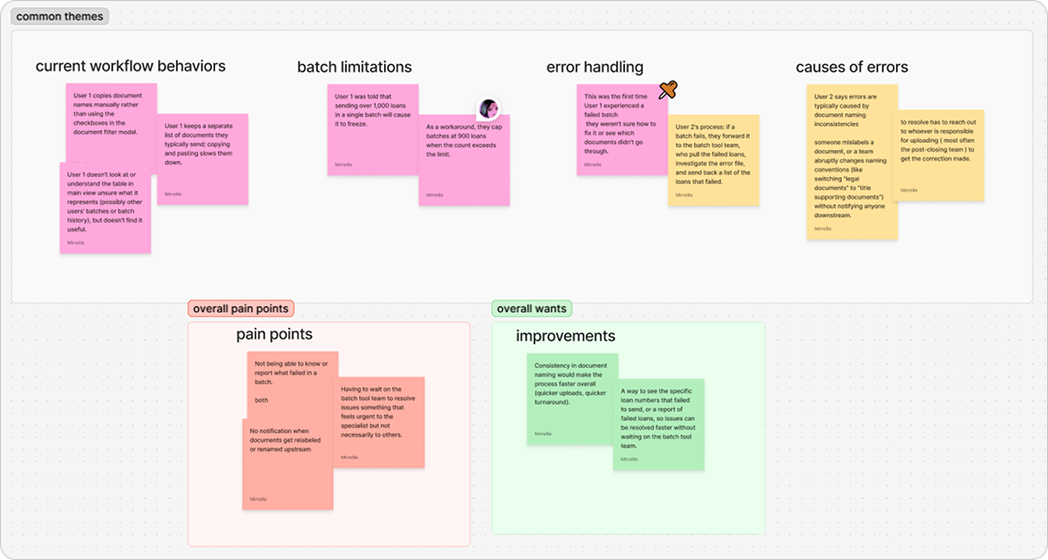
I first reviewed back-end logic with the document manager team to see how errors were diagnosed and what their process was for resolving them. Next, to understand the existing process, I shadowed two specialists (limited to two due to a tight timeline) through a live batch submission. This gave me more insight into what was causing the errors, and revealed that some of them were out of the specialists' control.
Uncovered Insights
- Most errors traced back to documents being mislabeled upstream (however, this was out of scope but was passed along to the proper channels on resolving this in the future).
- Specialists couldn't isolate which loan in a batch had failed, forcing a blind resend of the whole thing.
- There was a 1,000 loan limit when sending a single batch. This was a finding that the team had learn through word of mouth of more senior members. The work around was to split into two separate batches.
iii. Design Process
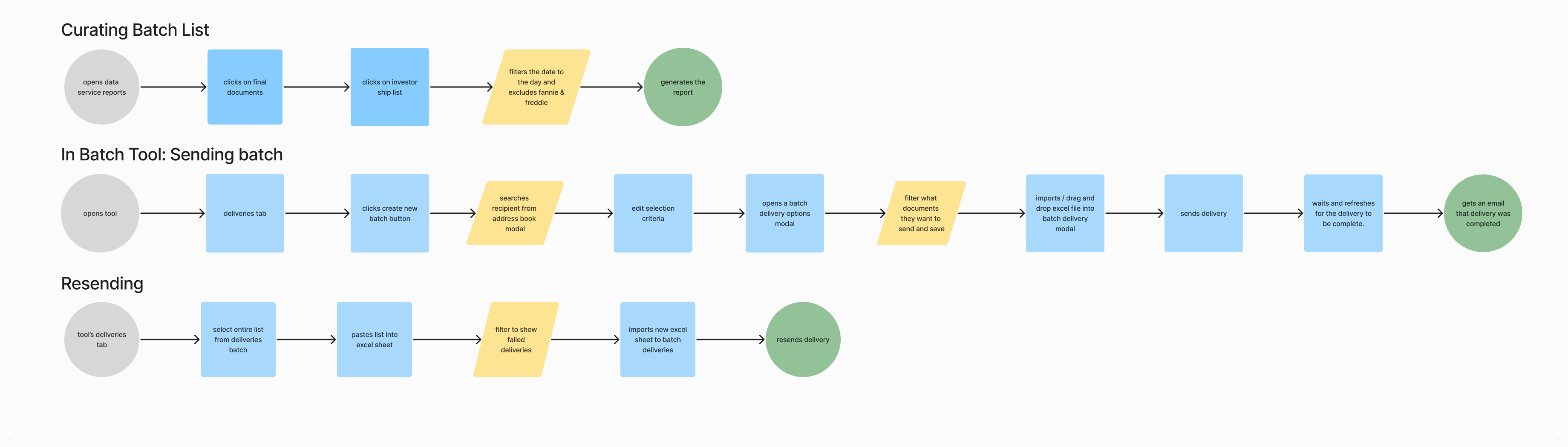
I created a user flow and sitemap first, then wire frames to high fidelity, with regular check-ins with the document manager team. The team wanted this pulled into its own standalone micro service, built specifically for specialists, using the design system that predated Dream (which was out of the box MUI.)
iv. The Solution
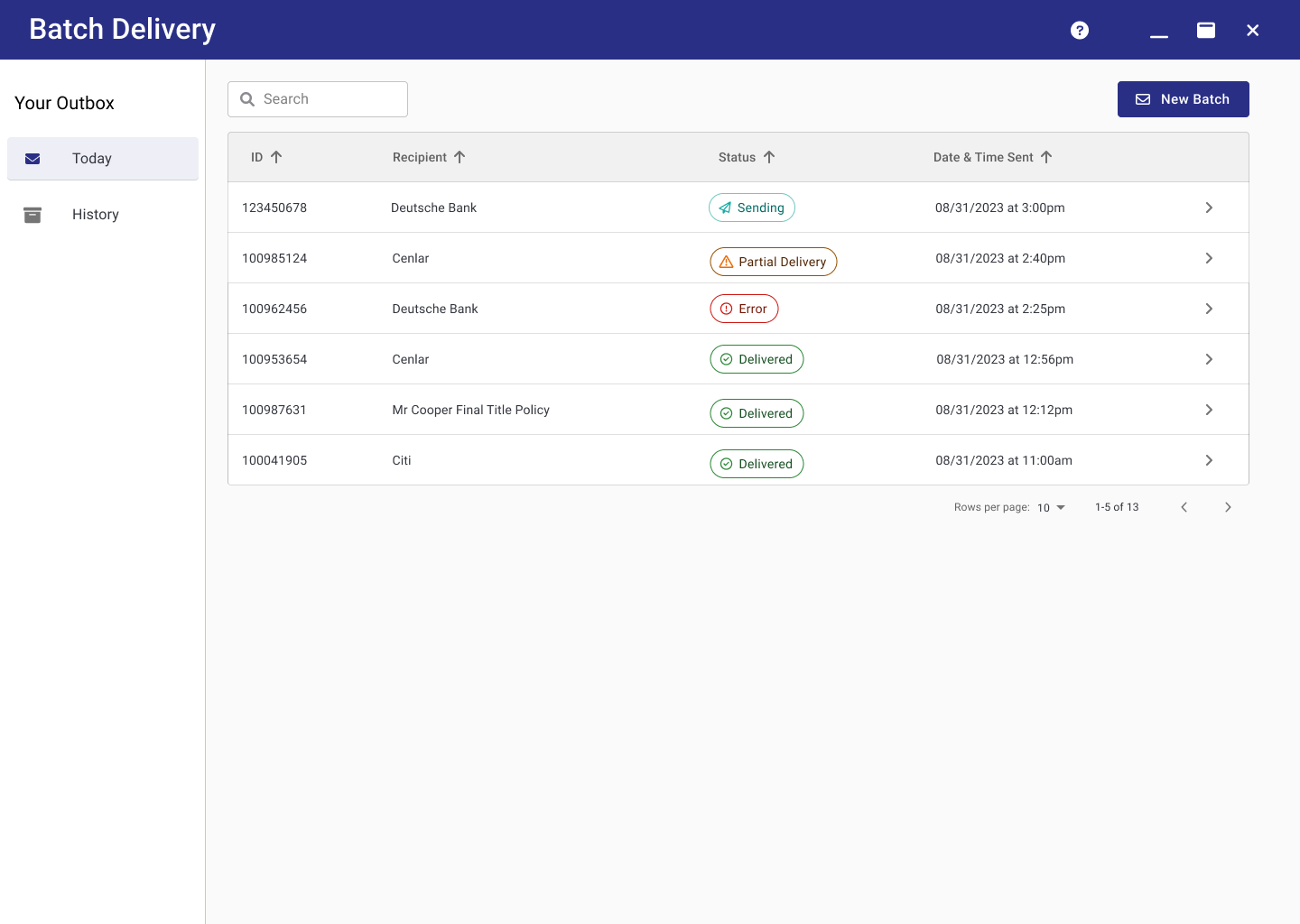
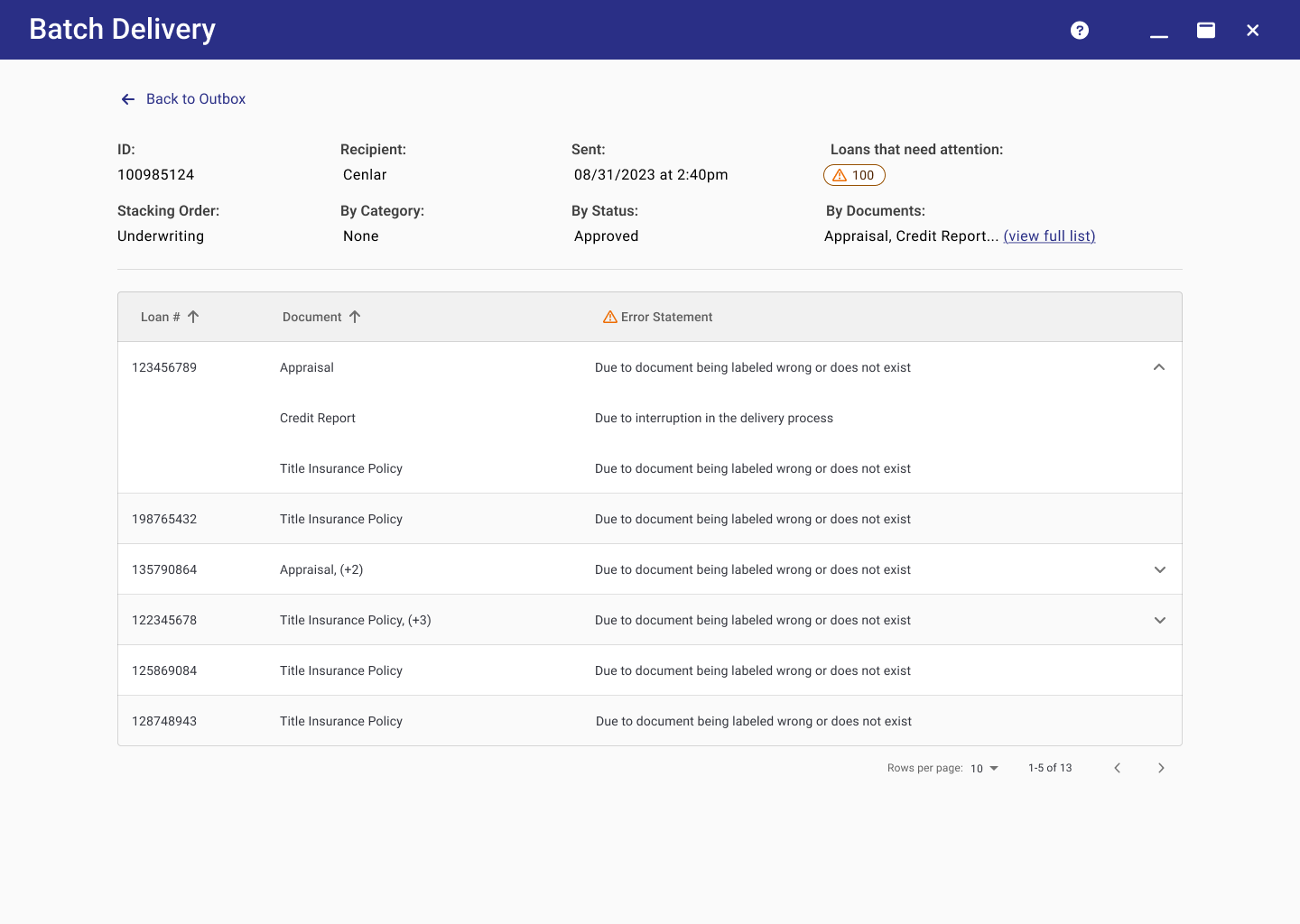
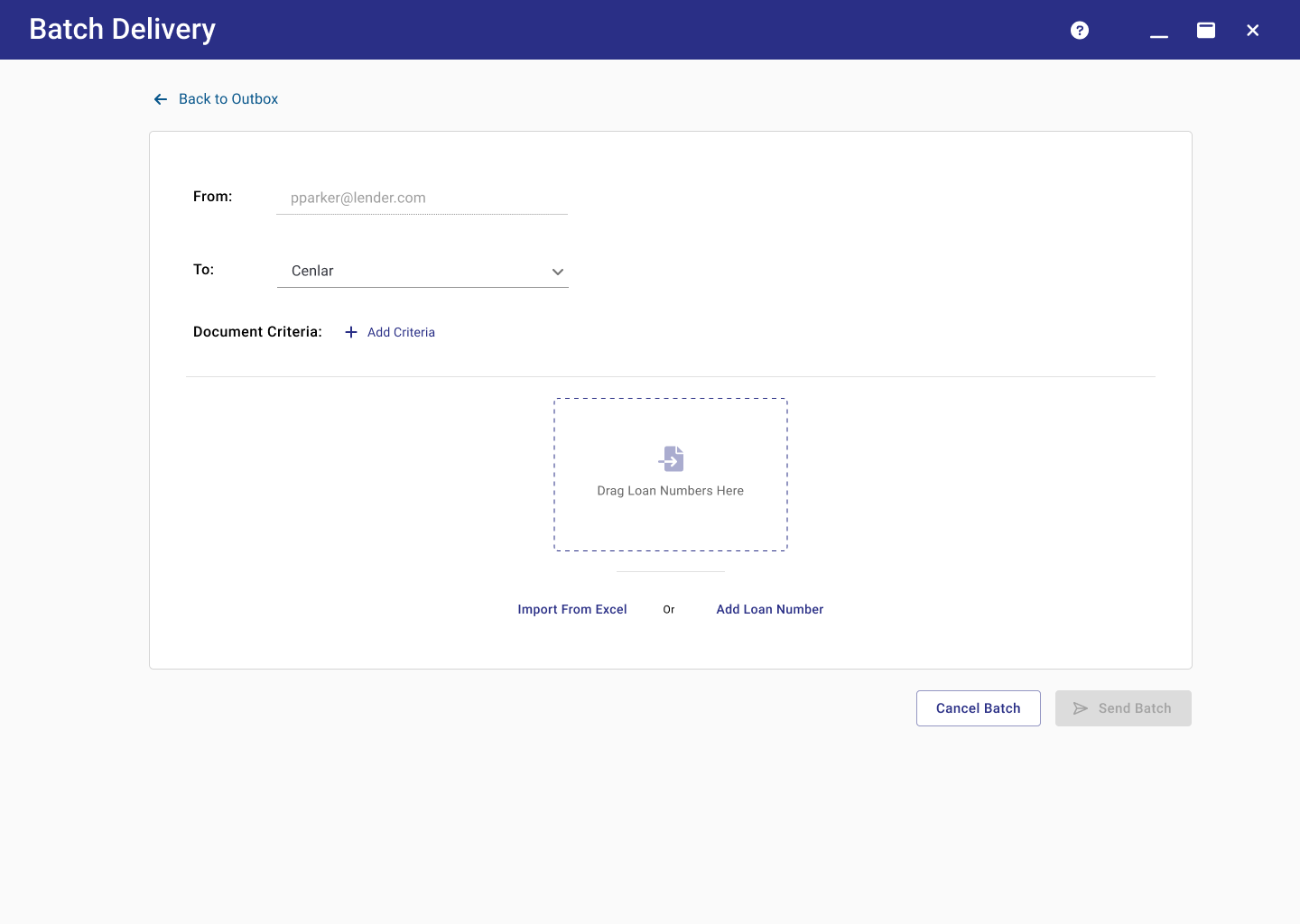
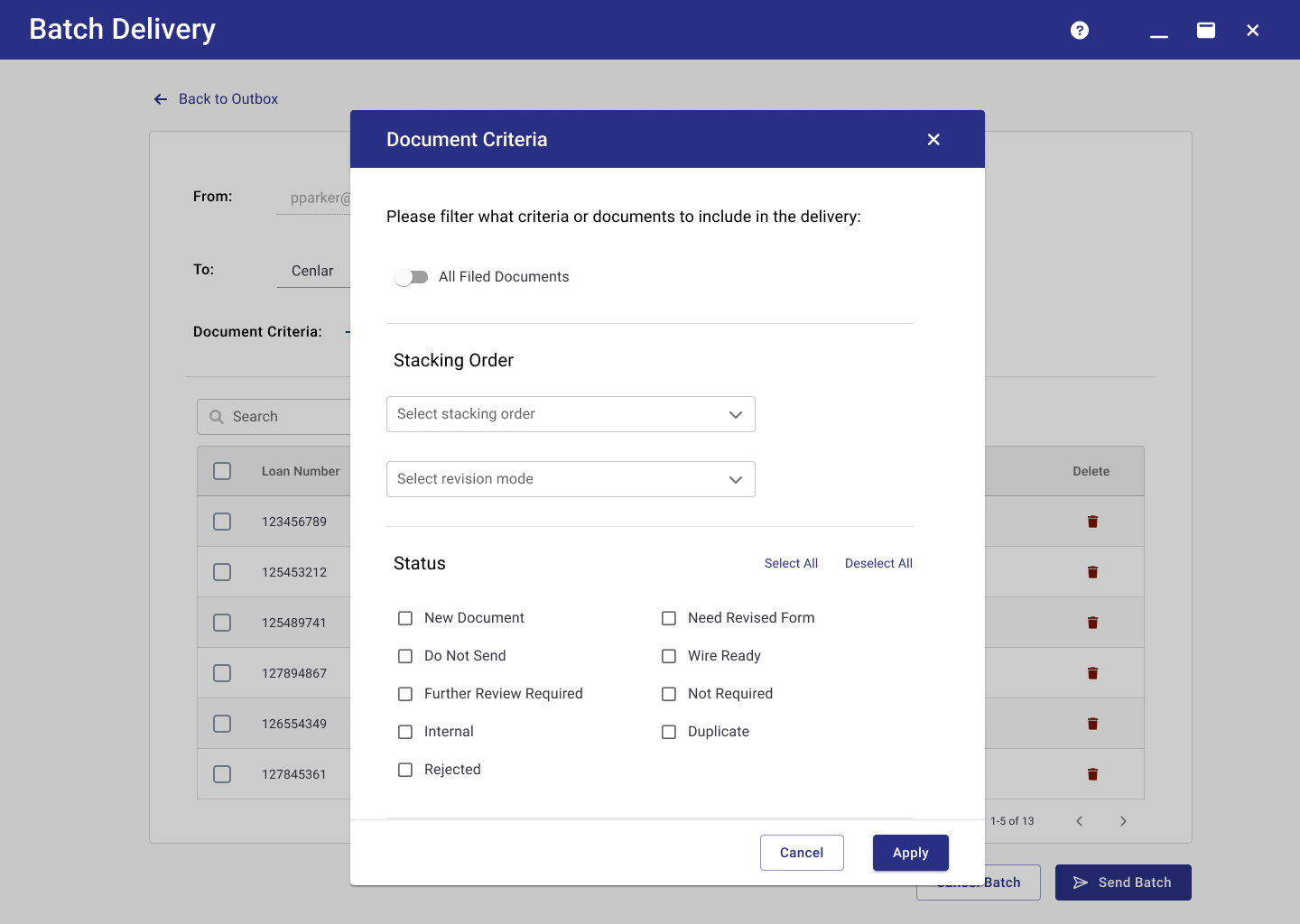
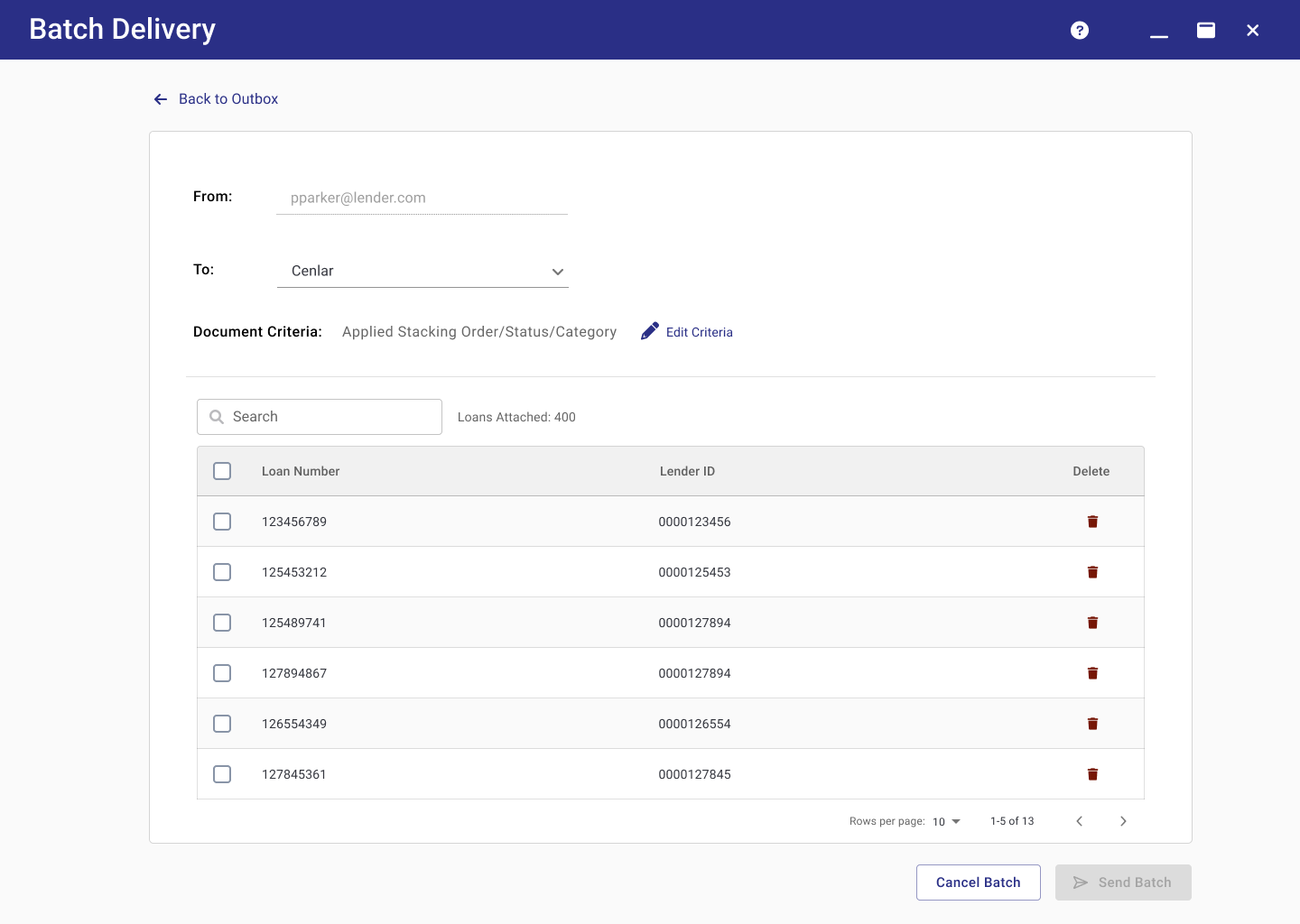
An outbox-like experience showed every sent batch with a live status, including a new "partial delivery" state the old system couldn't communicate. Submitting felt like composing an email to provide a familiar experience from the old UI, rather than departing from it. And then finally, errors were surfaced and identified — expandable rows revealed the exact error per document, letting specialists know what they could fix themselves to what needed escalation.
{{caption}}
v. Reflection and Next Steps
The project went unshipped due to a shift in priorities. The next step, should the project be picked up again or if it would have continued, would have been validating the design with real specialists — conducting usability tests to confirm whether the proposed design worked and whether the new UI change offered a seamless experience for their workflow.
View more work
Let's connect

© 2026 Mirreille Pelak, Detroit Area, Michigan
mirreille.pelak@gmail.com